Tax Settings
Configure how taxes are calculated and displayed in your system.
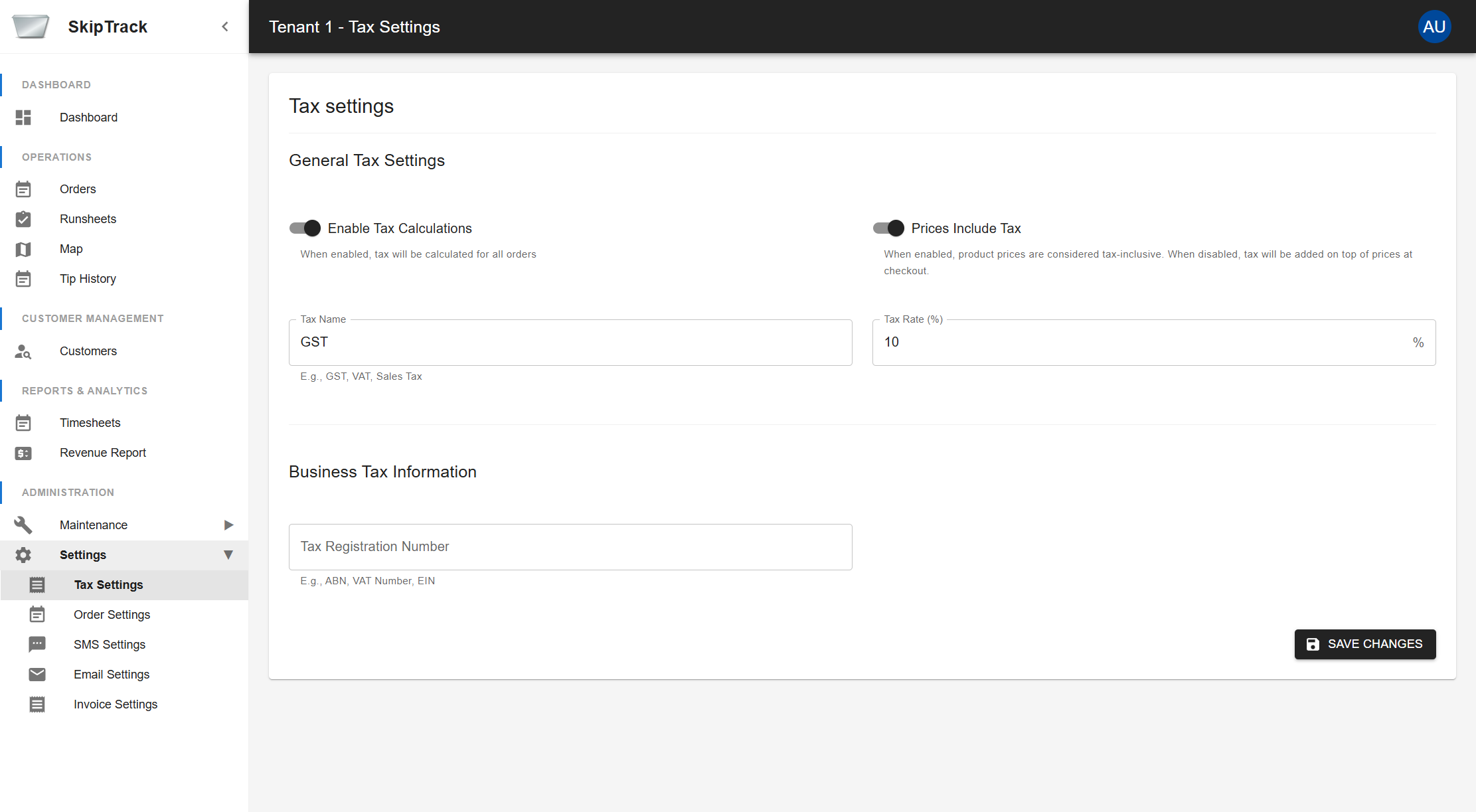
General Tax Settings
Enable Tax Calculations
- When enabled, tax will be calculated for all orders
- Toggle this setting to turn tax calculations on or off system-wide
Prices Include Tax
- When enabled, product prices are considered tax-inclusive
- When disabled, tax will be added on top of prices at checkout
- This affects how prices are displayed to customers and calculated in orders
Tax Name
- Set the display name for your tax (e.g., GST, VAT, Sales Tax)
- This name appears on invoices and order summaries
Tax Rate (%)
- Set the tax percentage rate
- Enter as a percentage value (e.g., 10 for 10%)
Business Tax Information
Tax Registration Number
- Enter your business tax registration number
- Examples: ABN (Australian Business Number), VAT Number, EIN (Employer Identification Number)
- This appears on official documents and invoices
Saving Changes
Click Save Changes to apply your tax settings. Changes take effect immediately across the system.