Maintenance Administration
The Maintenance section provides comprehensive management tools for configuring and maintaining all aspects of your waste collection operation. These features are organized into logical categories for efficient administration.
Accessing Maintenance
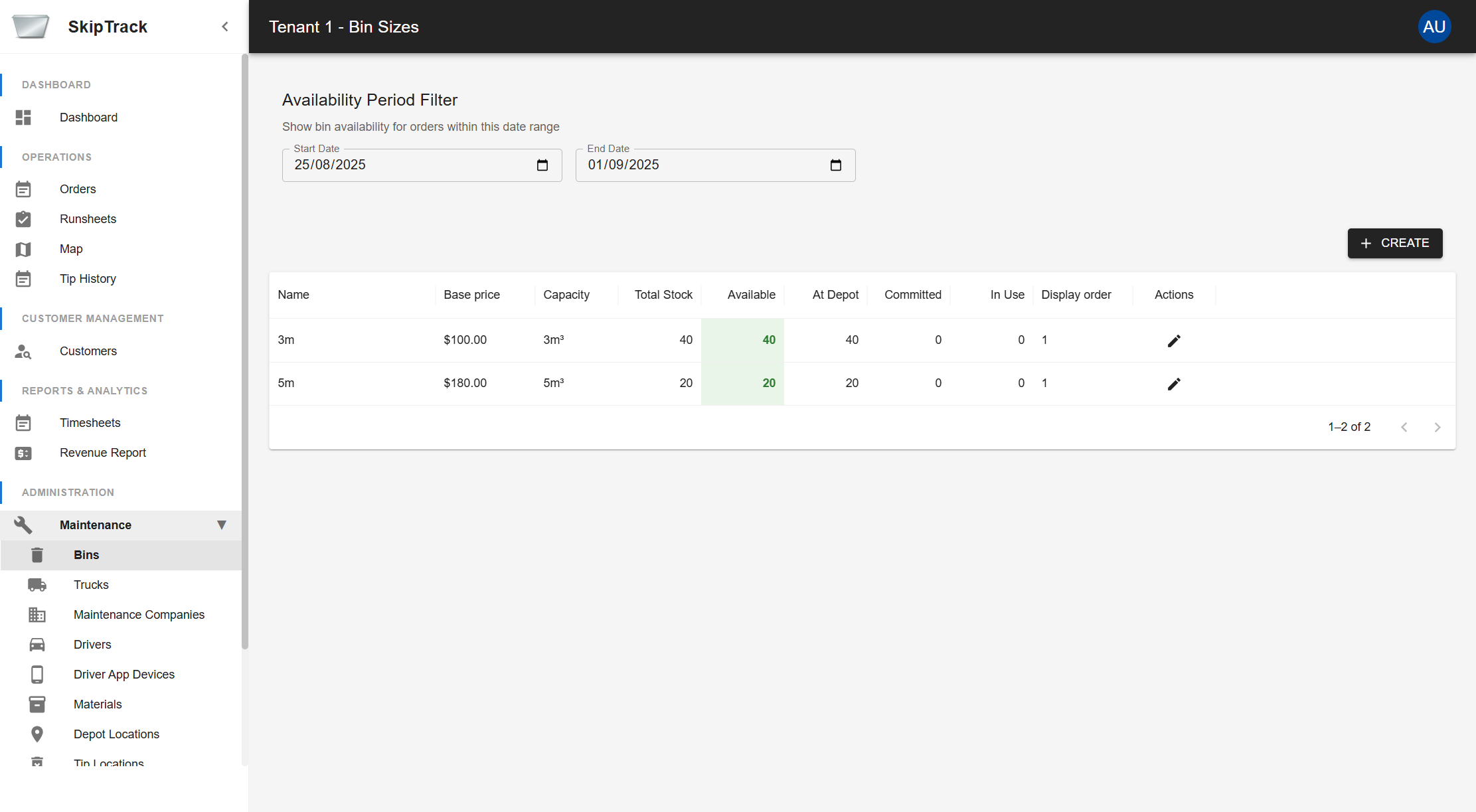
- Navigate to Administration: From the main dashboard, scroll down to the "Administration" section in the left sidebar
- Expand Maintenance: Click on "Maintenance ▶" to expand the maintenance menu
- Select Module: Choose the specific maintenance area you need to manage
Maintenance Areas
The maintenance system is organized into four main functional areas:
Fleet & Equipment Management
Manage your physical assets including bins, trucks, and maintenance service providers.
- Bins Management: Configure bin sizes, capacities, pricing, and inventory levels
- Trucks Management: Manage vehicle fleet, maintenance schedules, and capacity tracking
- Maintenance Companies: Manage external maintenance service providers
Personnel Management
Manage staff, user accounts, and access control throughout your organization.
- Drivers Management: Manage driver personnel, licensing, and scheduling
- Driver App Devices: Manage mobile devices used by drivers in the field
- Users Management: Manage user accounts and system access
- Roles Management: Define user roles and permissions
Location Management
Configure and manage all facility and service area locations.
- Depot Locations: Manage warehouse and storage locations
- Tip Locations: Manage waste disposal and processing facilities
- Price Areas: Define geographic pricing zones for service delivery
Material Configuration
Configure waste material types, pricing, and disposal requirements.
- Materials Management: Define waste material categories and pricing structures
General Best Practices
Data Management
- Regular Updates: Keep all information current, especially contact details and schedules
- Consistent Naming: Use clear, consistent naming conventions across all modules
- Status Monitoring: Regularly review and update status fields for accuracy
Security & Access
- Role-Based Access: Assign minimal necessary permissions to users
- Regular Audits: Review user access and role assignments periodically
- Strong Credentials: Enforce strong password policies for all users
Operational Efficiency
- Maintenance Schedules: Keep truck and equipment maintenance schedules current
- Inventory Management: Monitor bin availability and stock levels regularly
- Location Accuracy: Ensure GPS coordinates are accurate for route optimization
Compliance & Safety
- License Tracking: Monitor driver license expiry dates
- Insurance Coverage: Keep insurance information current
- Material Regulations: Stay compliant with waste material handling regulations
Common Workflows
Setting Up New Operations
- Configure Locations: Set up depot and tip locations with GPS coordinates
- Define Materials: Configure material types and pricing
- Add Equipment: Register bins and trucks in the system
- Create Users: Set up user accounts with appropriate roles
- Assign Personnel: Link drivers to trucks and devices
Regular Maintenance Tasks
- Update Schedules: Review and update maintenance schedules monthly
- Monitor Inventory: Check bin availability and stock levels weekly
- Review Users: Audit user access and status quarterly
- Verify Locations: Confirm depot and tip location information annually
Troubleshooting
- Access Issues: Check user roles and tenant status
- Data Inconsistencies: Verify display orders and status fields
- Performance Problems: Review large data sets and consider archiving old records