Location Management
This section covers the configuration and management of all facility and service area locations essential for waste collection operations.
Depot Locations
Purpose: Manage warehouse and storage locations where bins and equipment are stored.
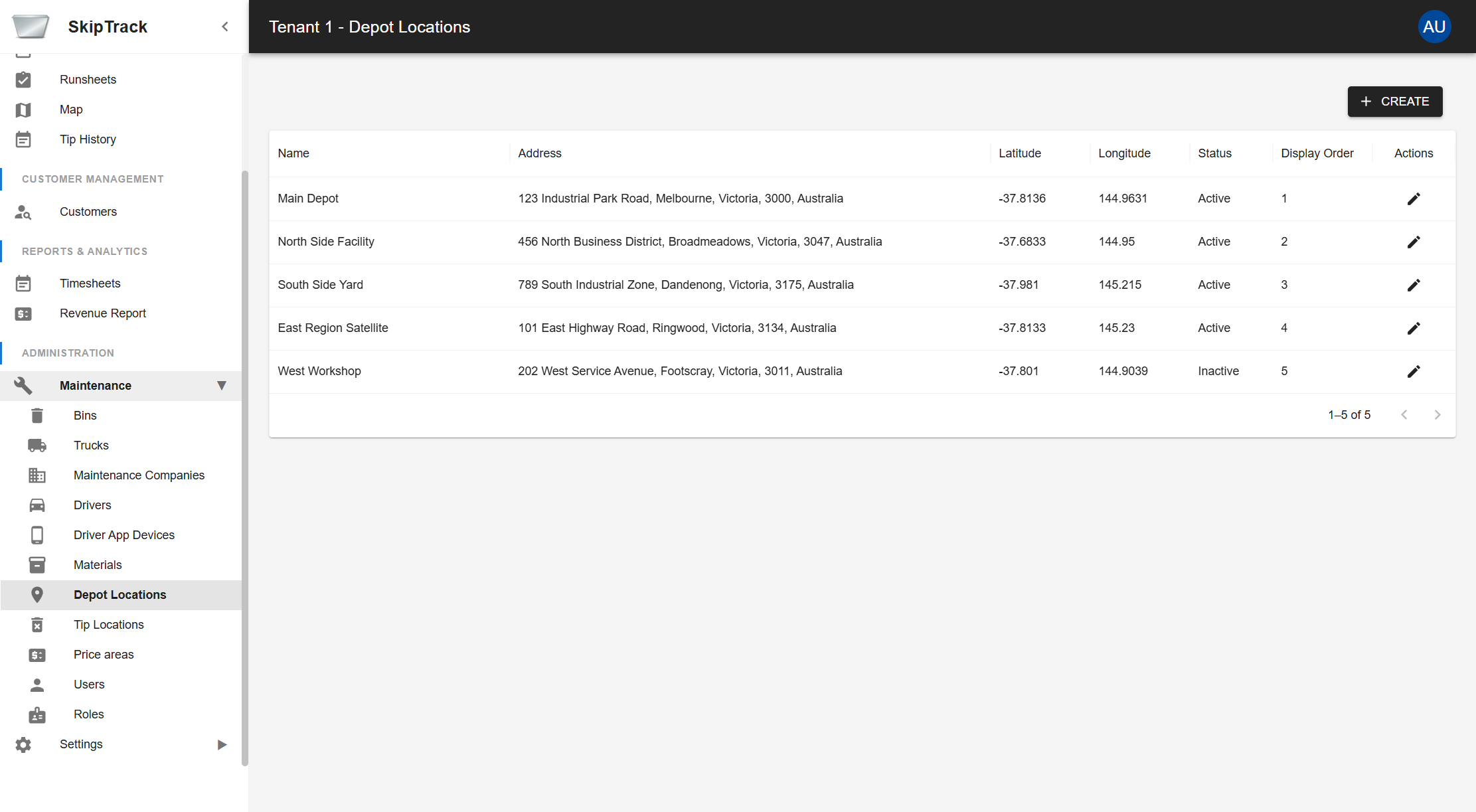
Key Features
- Location Registry: Maintain complete address information for all depots
- GPS Coordinates: Store precise latitude/longitude for route optimization
- Status Management: Enable/disable depots for operational planning
Depot Information
- Name: Descriptive name for the depot location
- Full Address: Complete street address including city, state, and postal code
- GPS Coordinates: Precise latitude and longitude for mapping
- Status: Active/Inactive status for operational use
- Display Order: Sort order for location selection lists
Tip Locations
Purpose: Manage waste disposal and processing facilities.
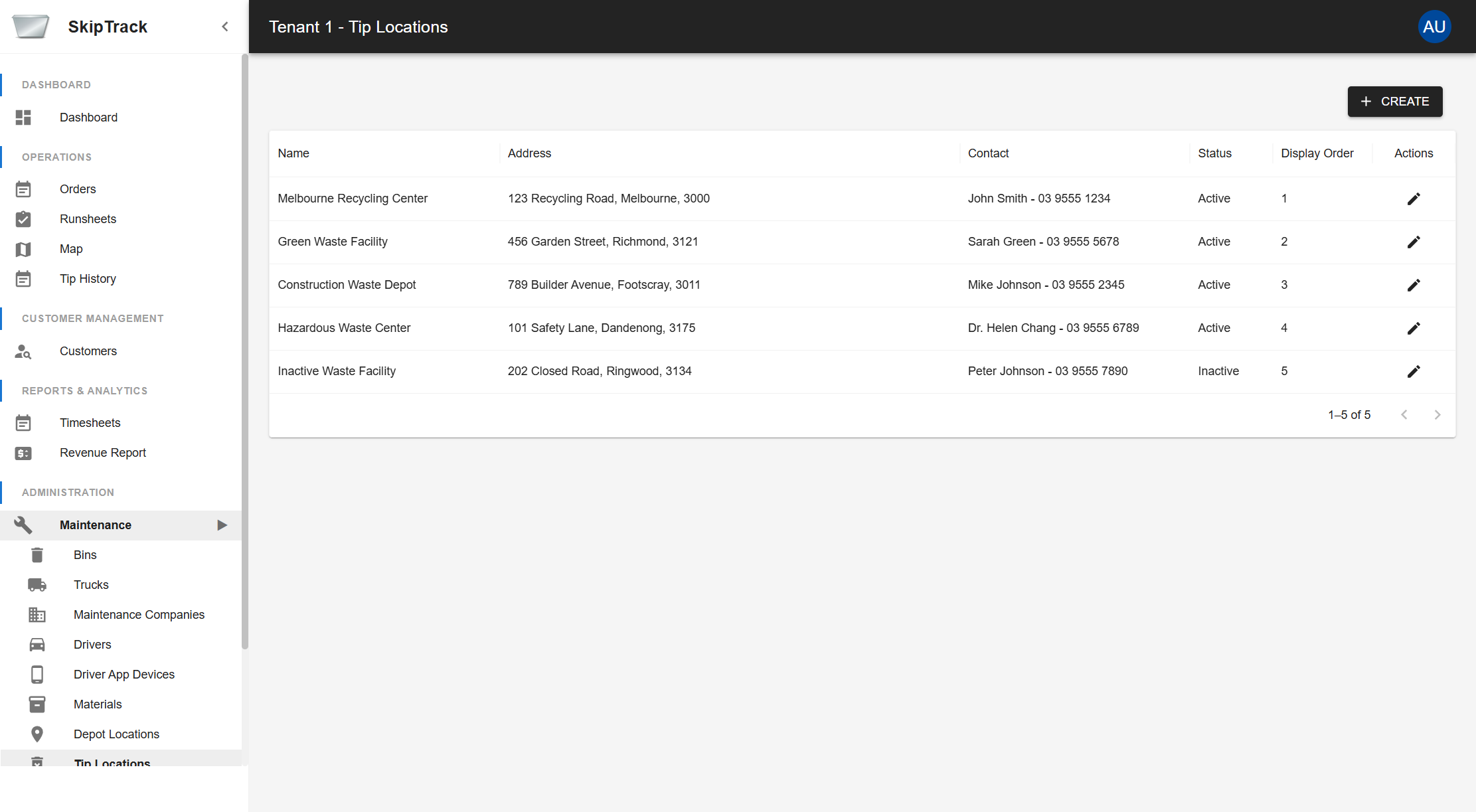
Key Features
- Disposal Sites: Maintain database of authorized tip locations
- Contact Information: Store contact details for each facility
- Material Restrictions: Note which materials each facility accepts
- Status Management: Track active and inactive facilities
Tip Location Information
- Name: Facility name (e.g., "Melbourne Recycling Center")
- Address: Complete facility address
- Contact: Primary contact person and phone number
- Status: Active/Inactive operational status
- Display Order: Sort order for facility selection lists
Price Areas
Purpose: Define geographic pricing zones for service delivery with specific pricing structures based on location.
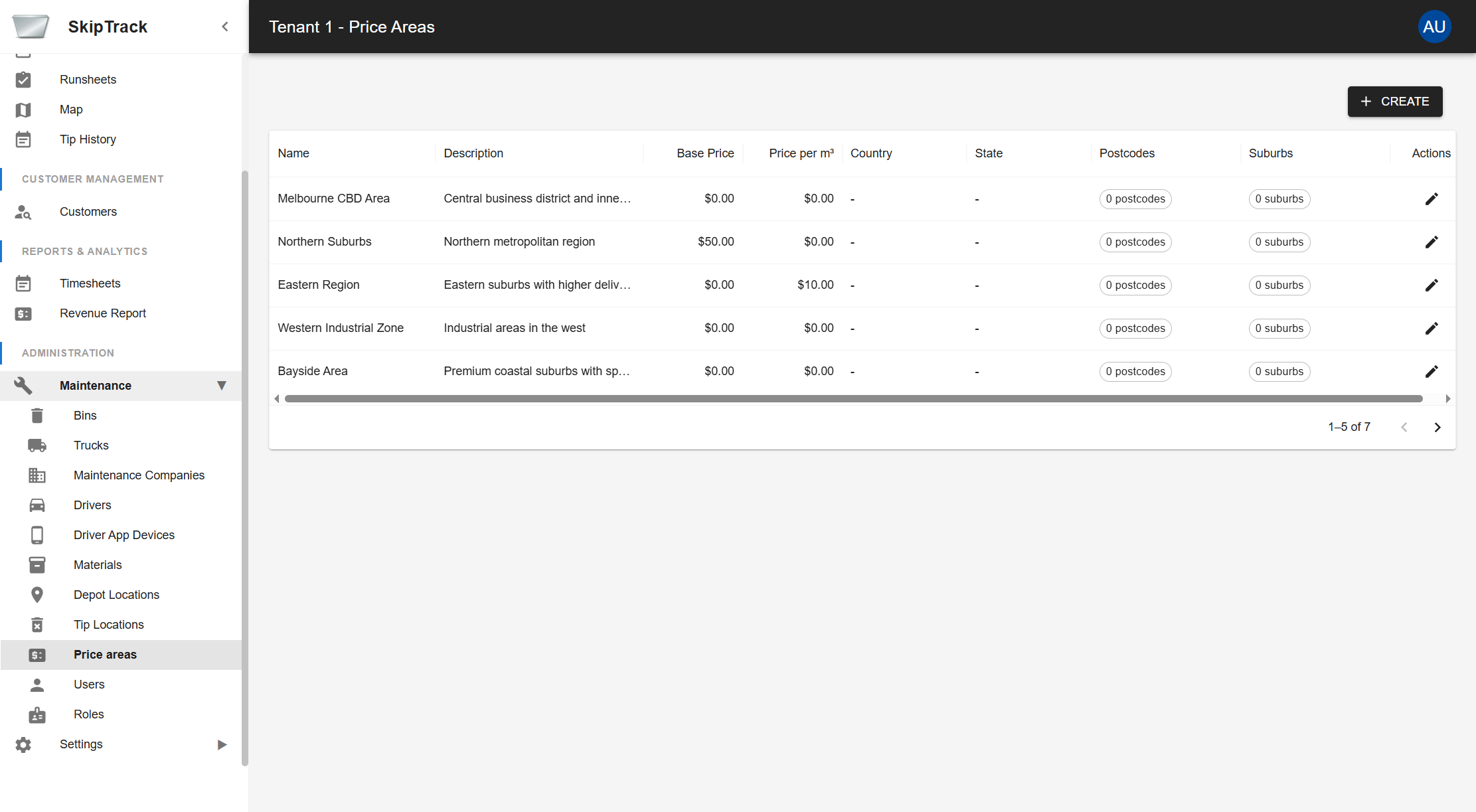
Key Features
- Location-based Pricing: Set different base prices and per-cubic-meter rates for different geographical regions
- Geographical Targeting: Define service areas by country, state, postcodes, and suburbs
- Flexible Pricing Models: Support for both flat fees and volume-based pricing
- Regional Service Management: Organize operations around geographical zones
Price Area List View
The main interface displays all configured pricing regions in a comprehensive table with:
| Column | Description |
|---|---|
| Name | Unique identifier for the price area |
| Description | Detailed description of the geographical region |
| Base Price | Fixed fee component for services in this area |
| Price per m³ | Variable rate per cubic meter of waste |
| Country | Country where the price area applies |
| State | State/Province within the country |
| Postcodes | Number of postcodes assigned to this area |
| Suburbs | Number of suburbs assigned to this area |
| Actions | Edit/Delete operations |
Creating a New Price Area
Click the CREATE button to add a new price area:
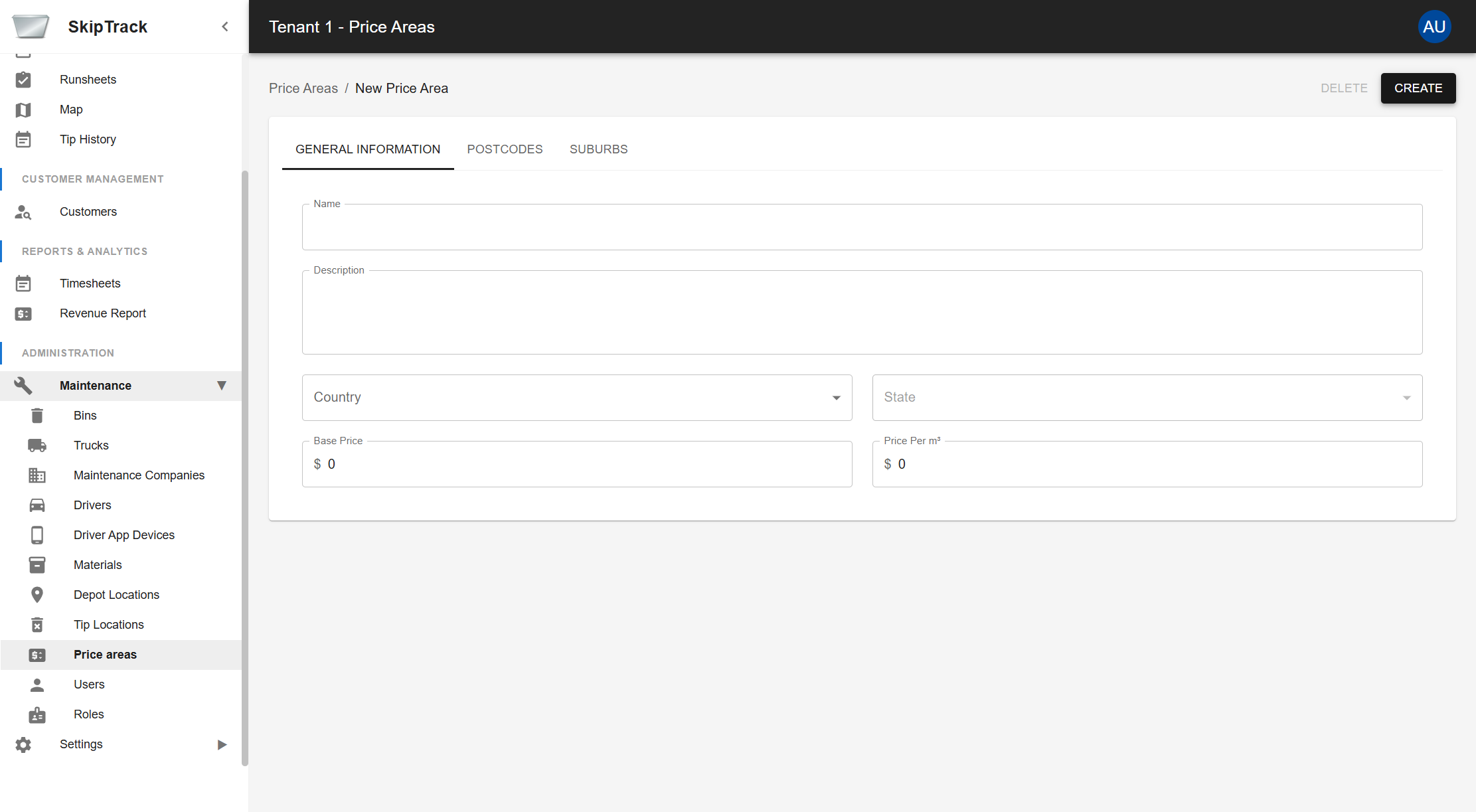
General Information Tab
Complete the basic details for your price area:
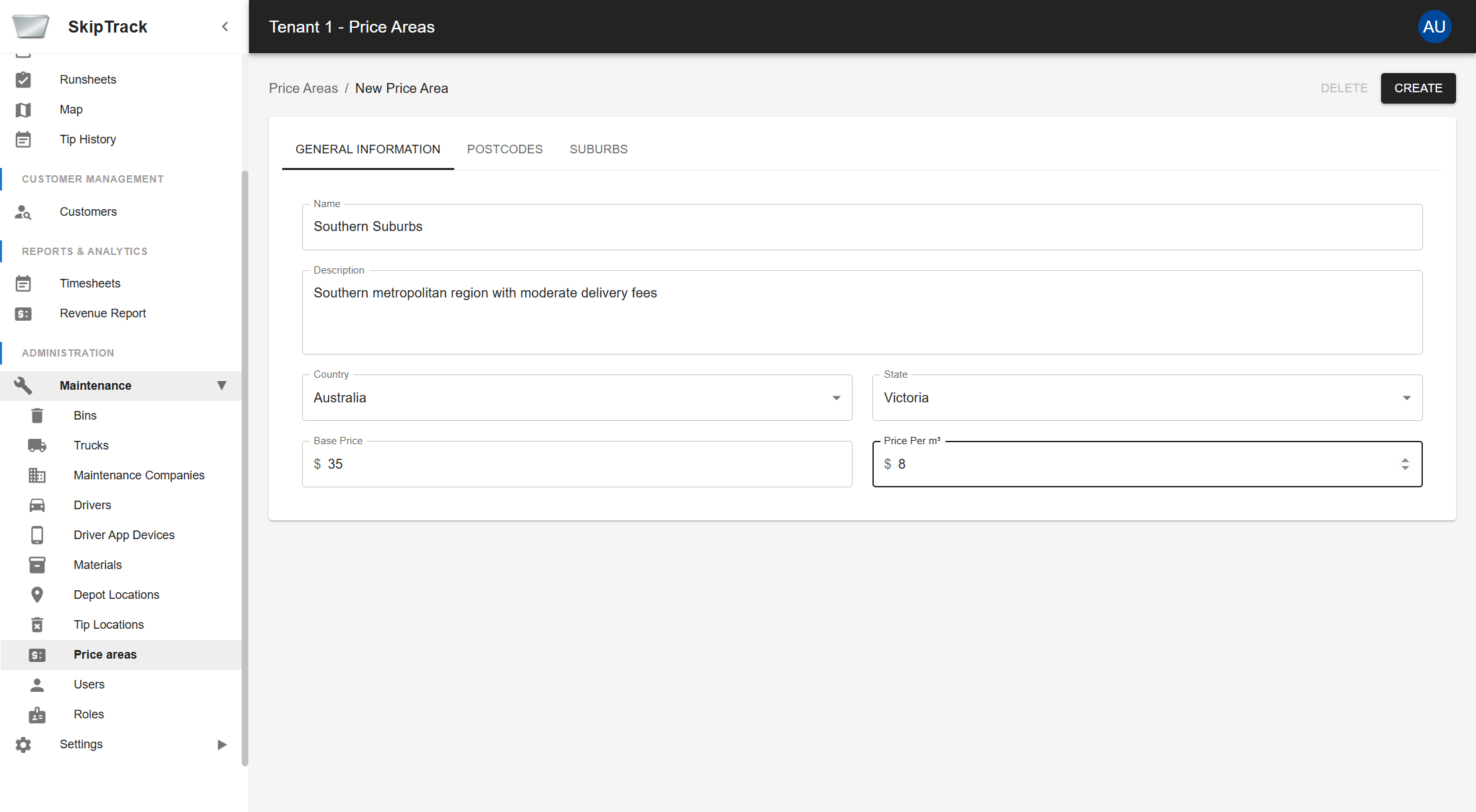
Required Fields:
- Name: Unique identifier (e.g., "Southern Suburbs")
- Description: Detailed explanation (e.g., "Southern metropolitan region with moderate delivery fees")
- Country: Select from dropdown (Australia, New Zealand, etc.)
- State: Select from state/province list (enabled after country selection)
- Base Price: Fixed service fee (e.g., $35.00)
- Price Per m³: Rate per cubic meter (e.g., $8.00)
Pricing Calculation:
Total Cost = Base Price + (Volume in m³ × Price per m³)
Postcodes Tab
Define specific postcodes that belong to this price area:
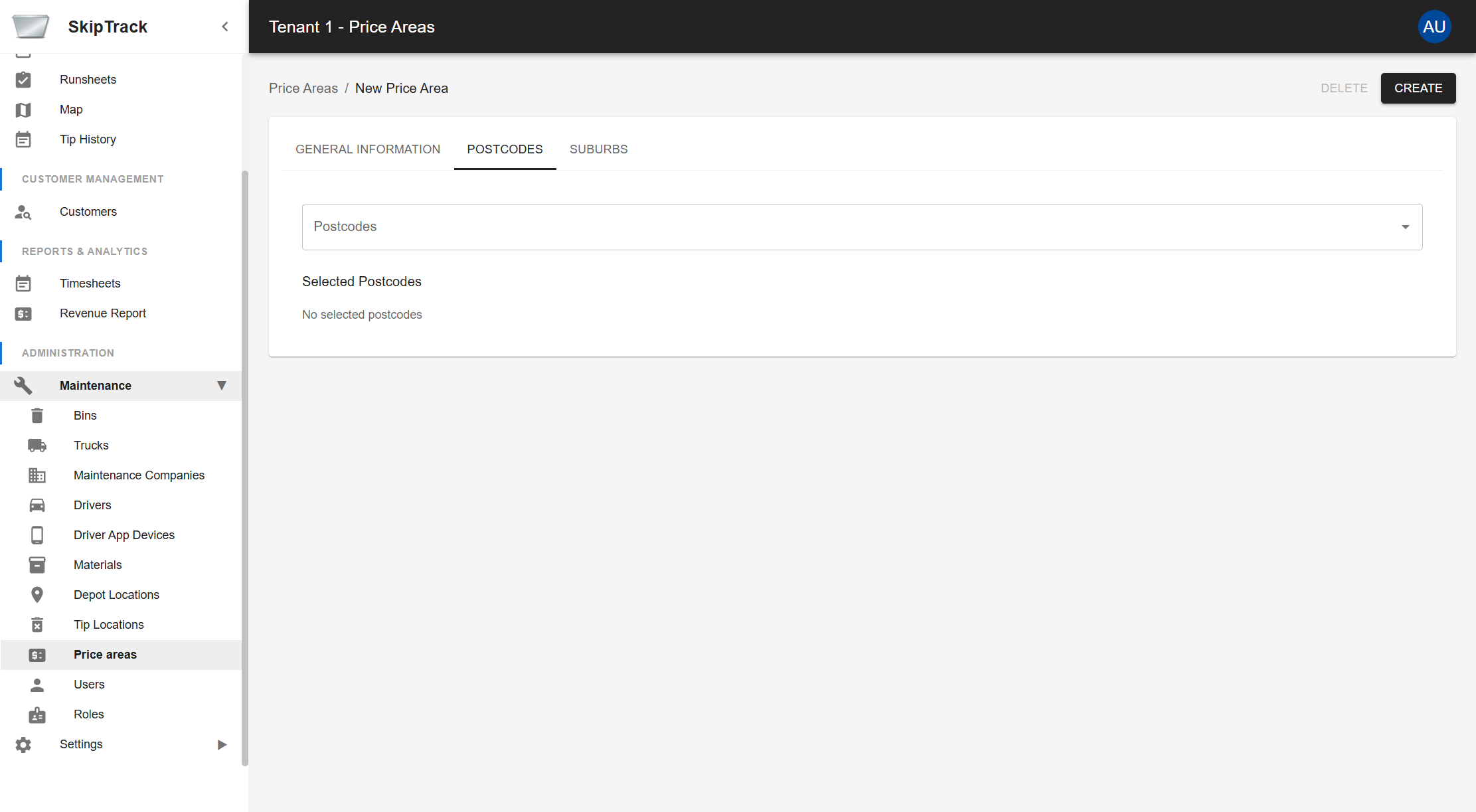
- Use the Postcodes dropdown to select specific postal codes
- Selected postcodes appear in the "Selected Postcodes" section
- Provides precise geographical targeting for pricing
Suburbs Tab
Assign suburbs to your price area:
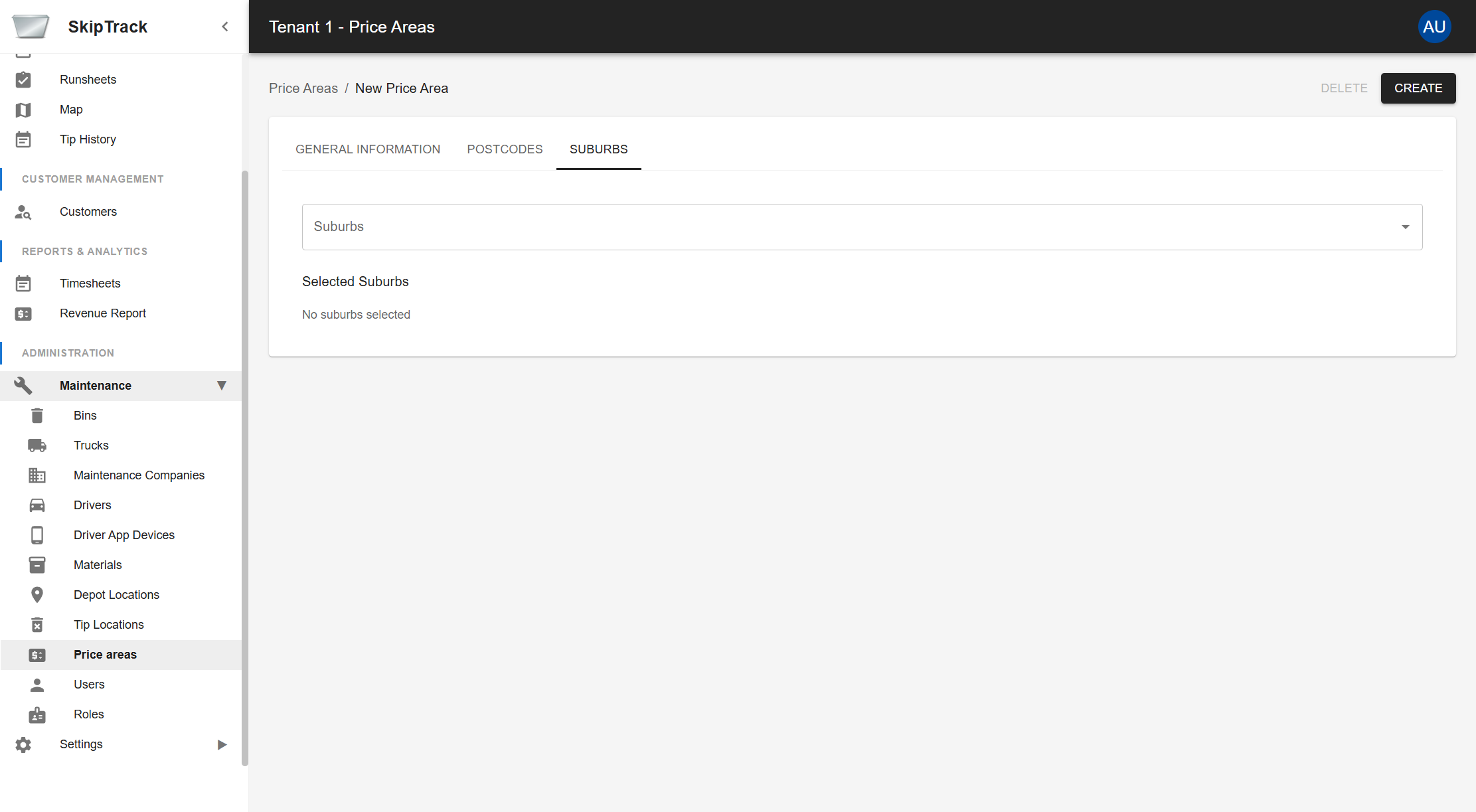
- Use the Suburbs dropdown to select specific suburbs
- Selected suburbs appear in the "Selected Suburbs" section
- Complements postcode targeting for comprehensive area coverage
Managing Existing Price Areas
After creation, price areas appear in the updated list:
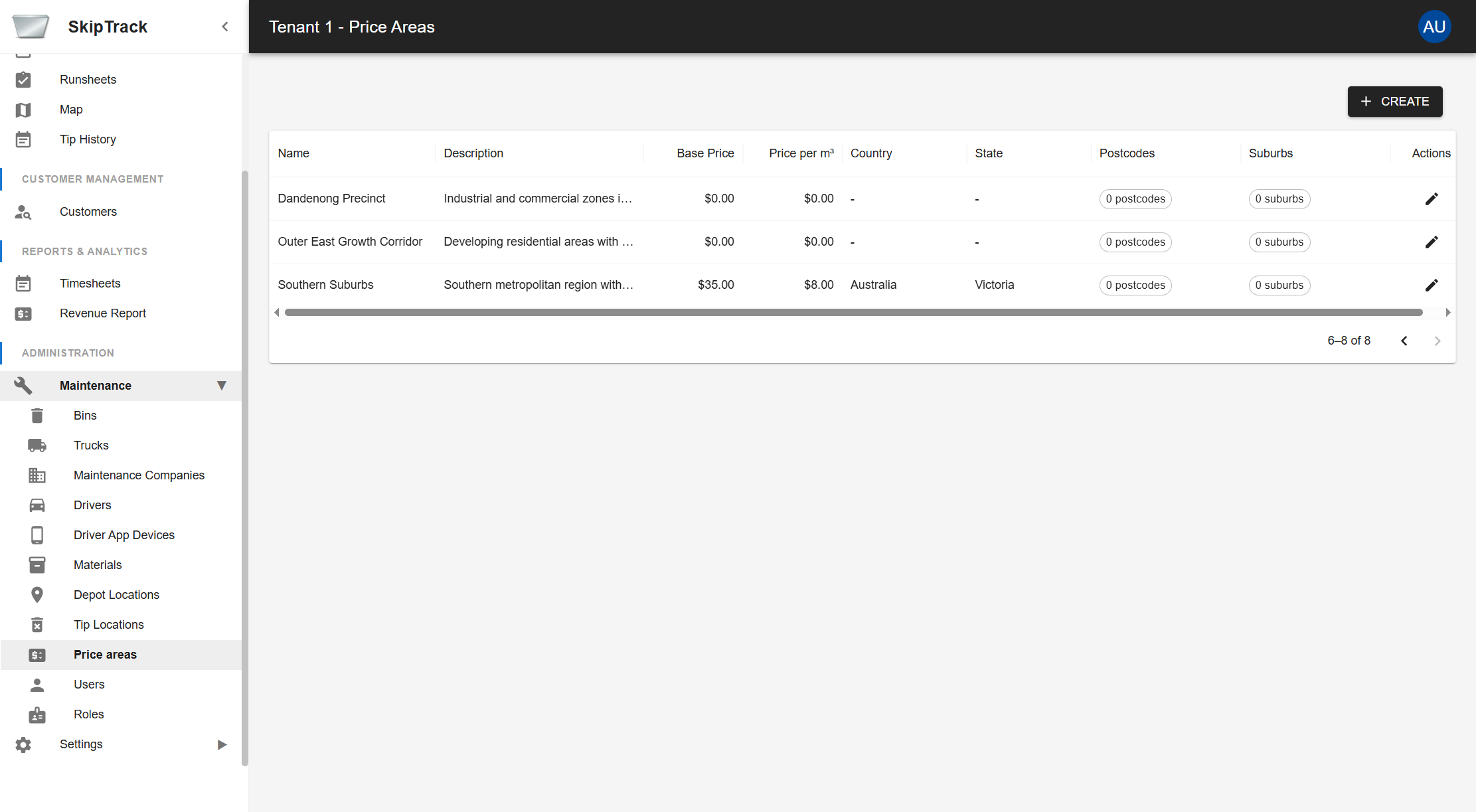
Editing Price Areas
Click the Edit button (pencil icon) to modify settings:
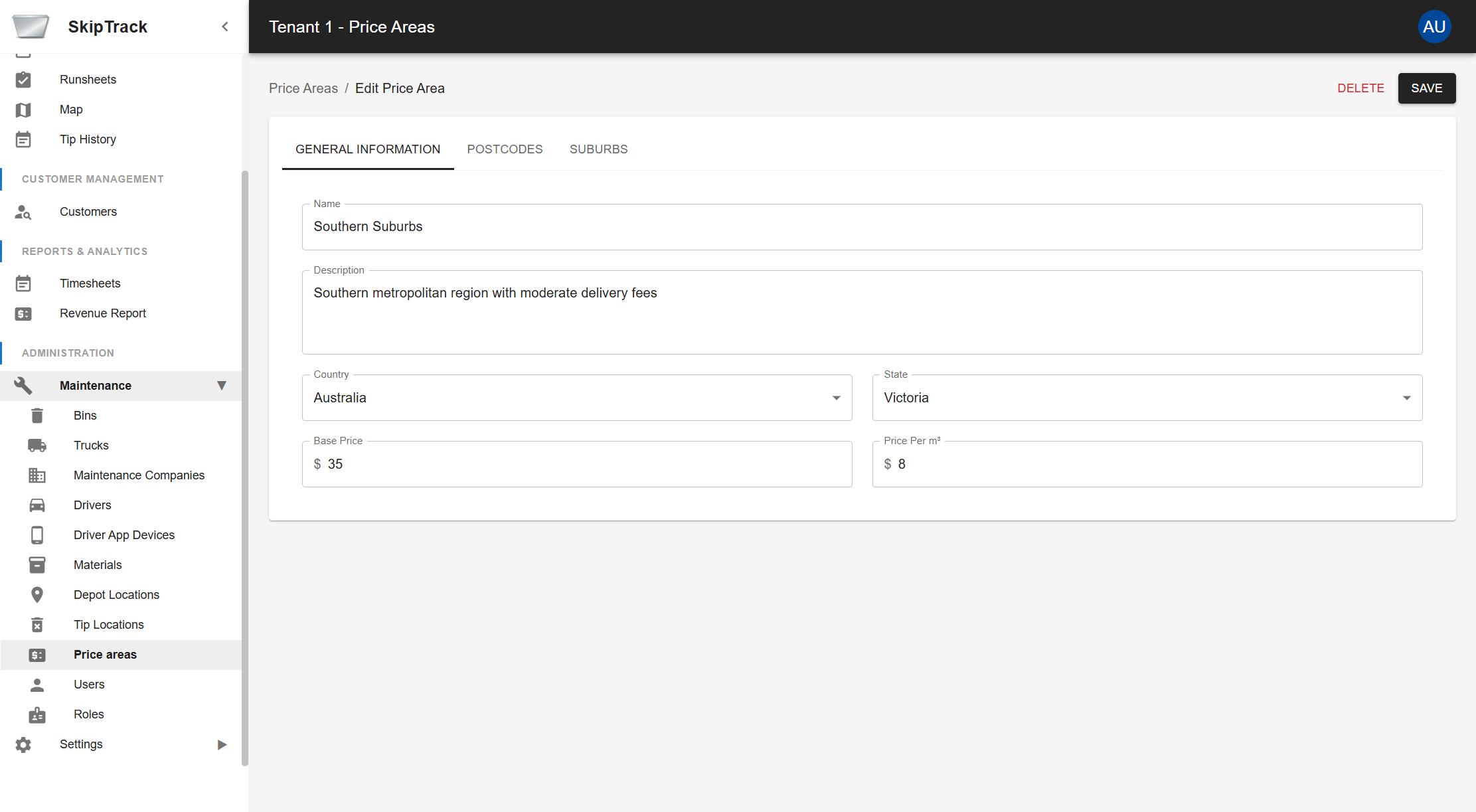
In edit mode, you can:
- Update all general information fields
- Add/Remove postcodes and suburbs
- Adjust pricing structure
- Delete the price area (if no longer needed)
- Save changes
Integration with Orders
Price areas integrate seamlessly with the order management system:
- Automatic pricing: Orders automatically use appropriate price area based on customer location