Fleet & Equipment Management
This section covers the management of physical assets including bins, trucks, and maintenance service providers that are essential for waste collection operations.
Bins Management
Purpose: Configure bin sizes, capacities, pricing, and inventory levels.
Key Features
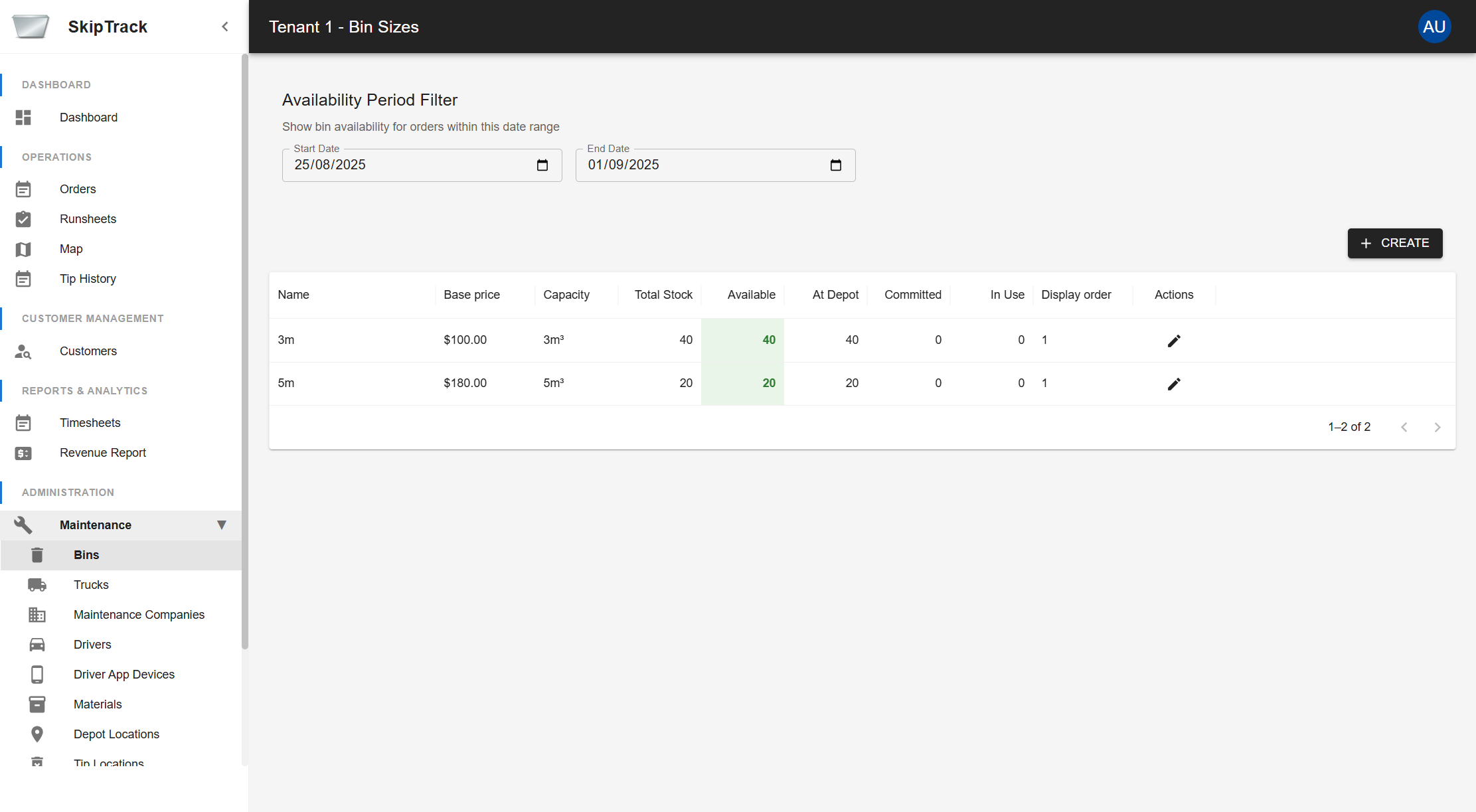
- Availability Period Filter: Set date ranges to view bin availability for order scheduling
- Inventory Tracking: Monitor total stock, available bins, depot quantities, committed and in-use bins
- Pricing Configuration: Set base prices per bin size
- Capacity Management: Define bin capacities in cubic meters (m³)
Managing Bins
- View Current Bins: The main grid displays all configured bin sizes with their status
- Create New Bin Size: Click the "CREATE" button to add a new bin configuration
- Edit Existing Bins: Use the edit action (pencil icon) to modify bin details
- Filter by Date: Adjust the date range to see availability for specific periods
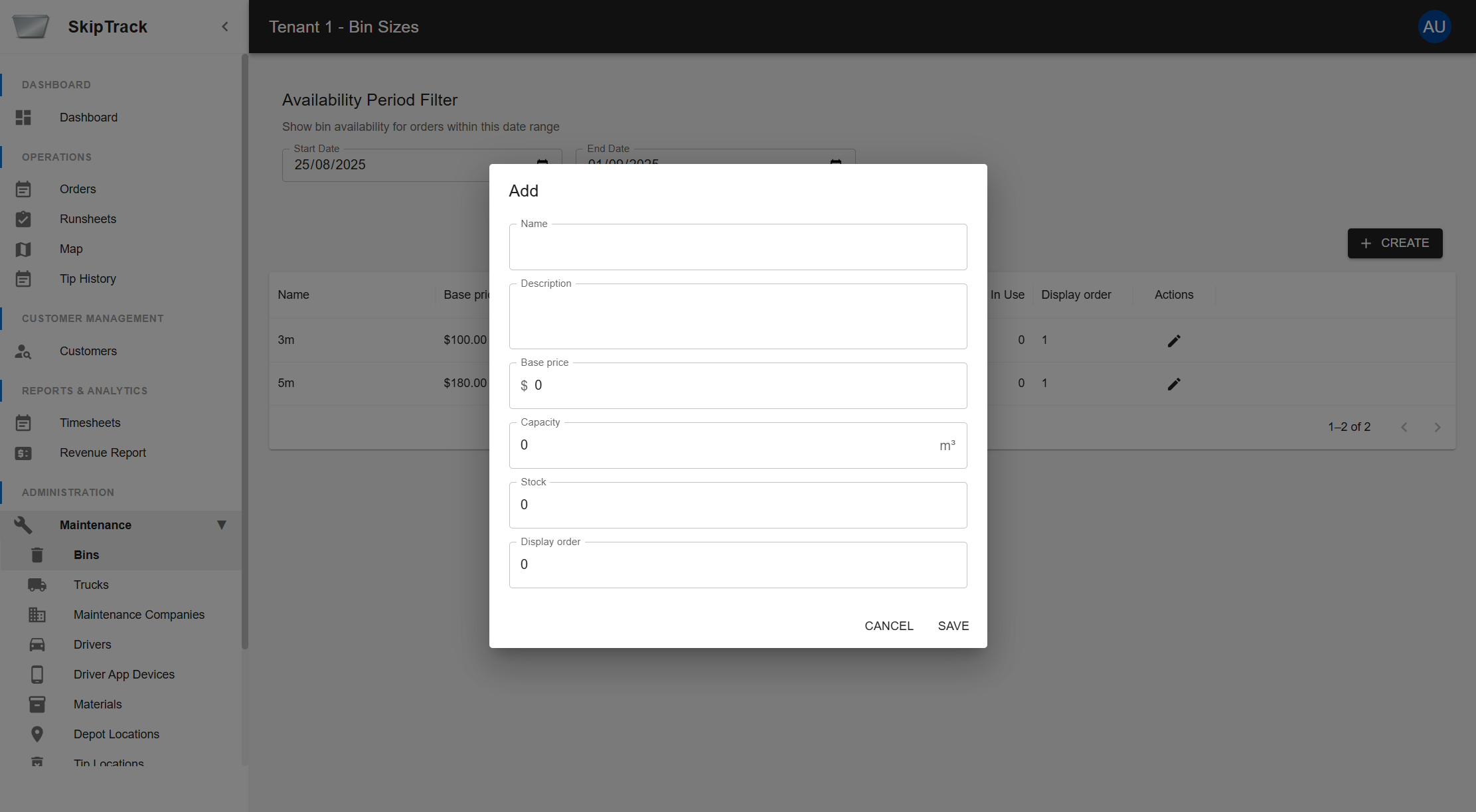
Create/Edit Bin Fields
- Name: Descriptive name for the bin size (e.g., "3m", "5m")
- Description: Additional details about the bin
- Base Price: Default rental price in dollars
- Capacity: Volume capacity in cubic meters
- Stock: Total number of bins of this size in inventory
- Display Order: Sort order for displaying in lists
Bin Availability Tracking
The system provides real-time visibility into bin inventory status:
- Total Stock: Complete inventory count for each bin size
- Available: Bins ready for new orders
- At Depot: Bins currently stored at depot locations
- Committed: Bins allocated to scheduled orders
- In Use: Bins currently deployed at customer sites
Trucks Management
Purpose: Manage your vehicle fleet including maintenance schedules and capacity tracking.
Key Features
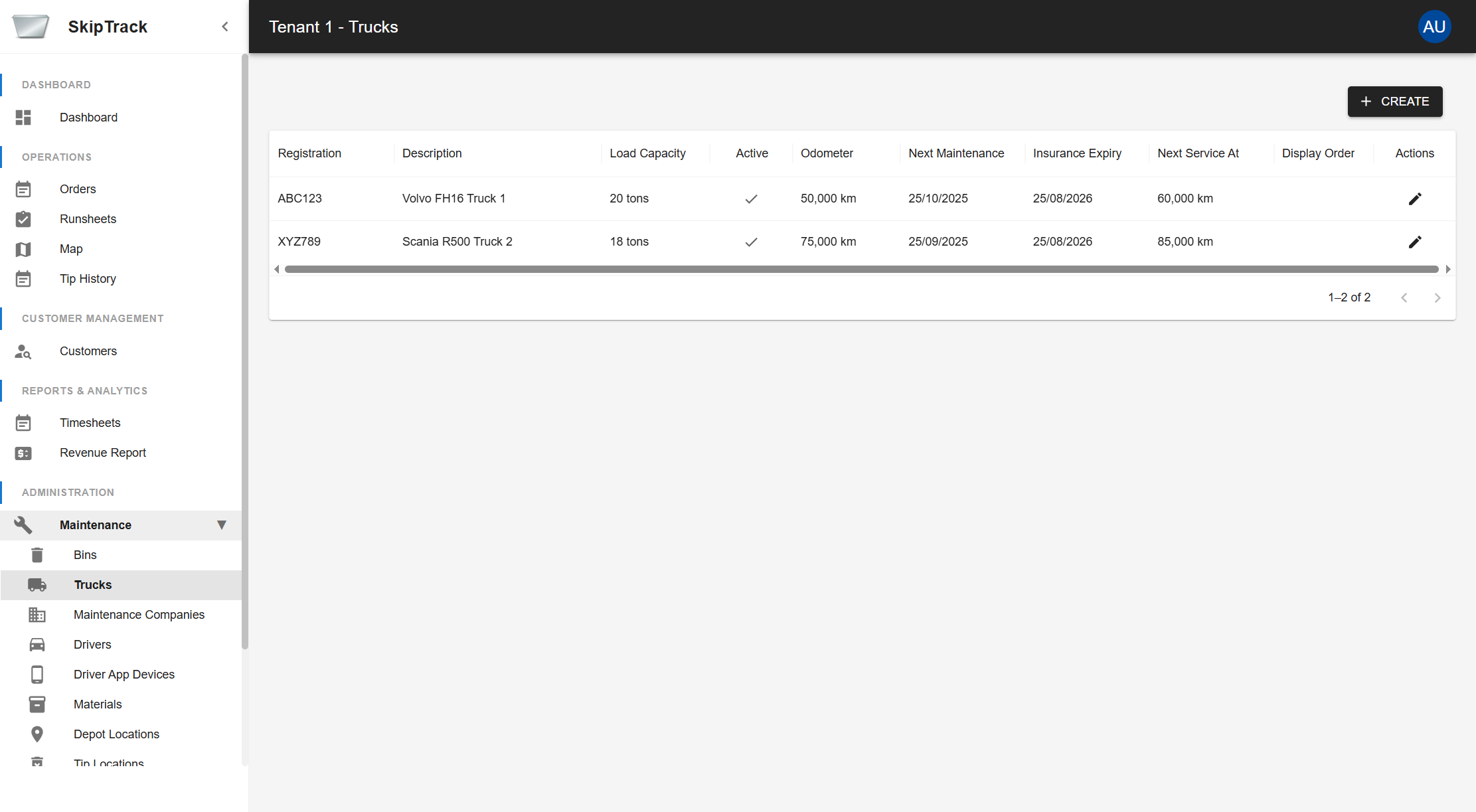
- Fleet Overview: View all trucks with registration details
- Load Capacity: Track maximum load capacity for route planning
- Maintenance Tracking: Monitor next scheduled maintenance and odometer readings
- Insurance Management: Track insurance expiry dates
- Active Status: Enable/disable trucks for scheduling
Truck Information Tracked
- Registration: Vehicle registration number
- Description: Vehicle make/model and identifier
- Load Capacity: Maximum load weight in tons
- Active Status: Whether the truck is available for scheduling
- Odometer: Current mileage reading
- Next Maintenance: Scheduled maintenance date
- Insurance Expiry: Insurance policy expiration date
- Next Service At: Mileage for next scheduled service
Fleet Management Workflows
Adding New Trucks
- Vehicle Registration: Enter complete registration and identification details
- Capacity Specification: Define load capacity and operational limits
- Insurance Setup: Record insurance details and expiry dates
- Maintenance Scheduling: Set initial maintenance schedule based on manufacturer recommendations
- Driver Assignment: Link trucks to qualified drivers
Maintenance Management
- Preventive Maintenance: Schedule regular service based on mileage and time intervals
- Maintenance Alerts: System notifications for upcoming service requirements
- Service History: Track all maintenance activities and costs
- Insurance Monitoring: Automatic alerts for expiring insurance policies
Maintenance Companies
Purpose: Manage external maintenance service providers for your fleet and equipment.
Key Features
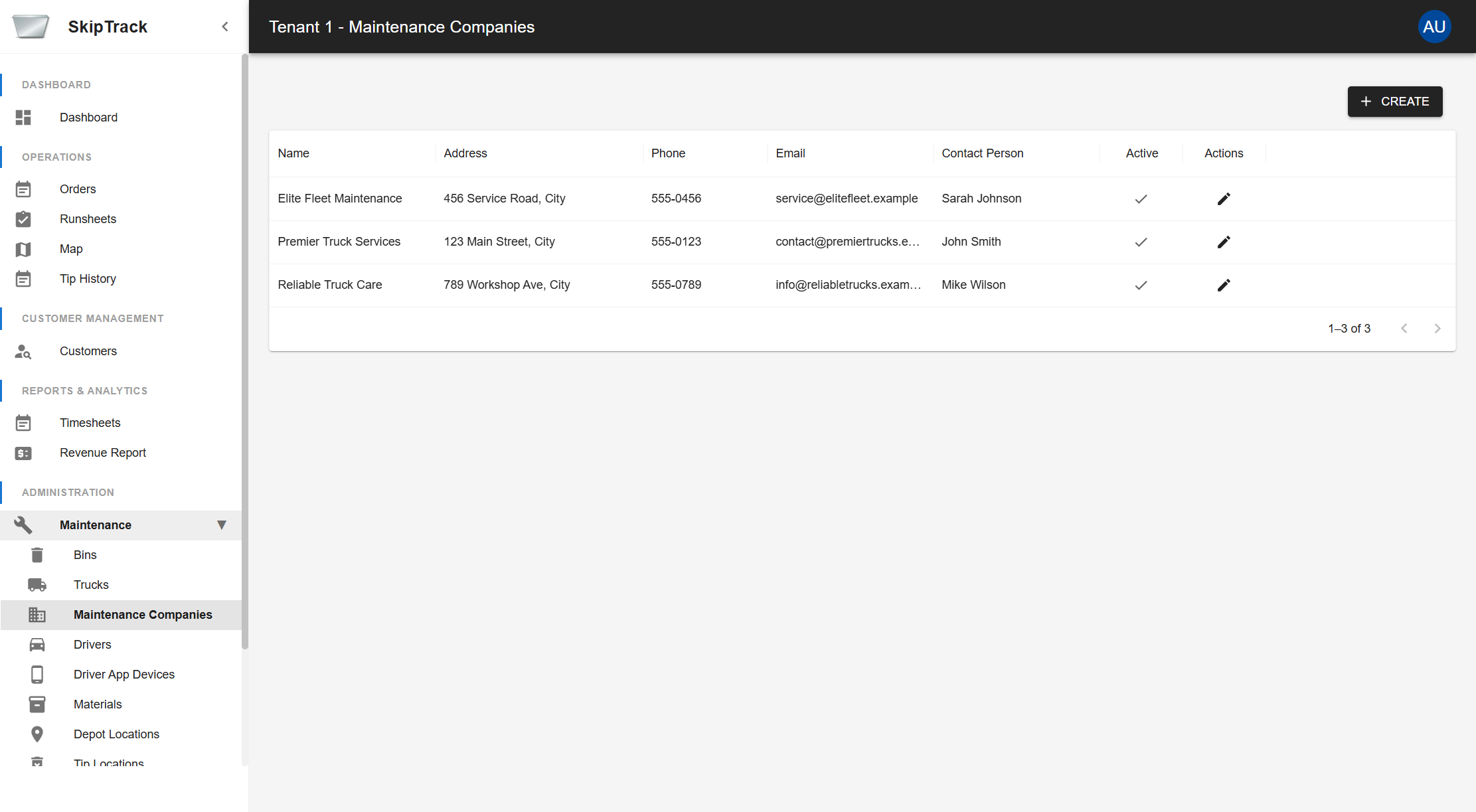
- Service Provider Database: Maintain contact information for maintenance companies
- Service History: Track which companies handle specific maintenance tasks
- Contact Management: Store phone numbers, addresses, and emergency contacts
- Specialization Tracking: Note which companies handle specific equipment types
Service Provider Information
- Company Details: Name, address, and primary contact information
- Services Offered: List of maintenance services provided
- Specializations: Equipment types and brands serviced
- Response Times: Average response times for different service types
- Pricing Structure: Standard rates and emergency service costs
- Quality Ratings: Performance ratings and customer satisfaction scores